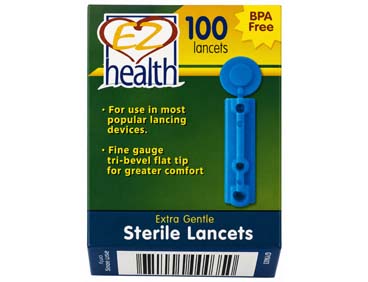

EZ Health® lancets are extra gentle and provide a comfortable testing experience.
EZ Health® Lancets
Ultra-fine 30G lancet for reduced discomfort during sampling
1. Twist and pull off the cap of the EZ Health® Oracle® lancing device.
2. Insert a lancet into the lancet holder and press down firmly until it is fully secured.
3. Twist off the protective disk from the lancet.
4. Replace the cap by aligning the arrow with the release button, then push and turn to secure it.
5. Select the desired depth by rotating the adjustable tip until the arrow points to the chosen setting.
6. Pull the cocking control back until it clicks. A colour indicator will appear inside the release button when the device is ready.
Important: Always dispose of used lancets safely and do not reuse them.
• BPA-Free Construction
• Triple-beveled tip for improved comfort
• Fine-gauge needle for reduced discomfort
• Compatible with the Oracle® lancing device and most standard lancing systems
🔥
| Size | Bust | Waist | Low Hip |
|---|---|---|---|
| XS | 32 | 24-25 | 33-34 |
| S | 34-35 | 26-27 | 35-36 |
| M | 36-37 | 28-29 | 38-40 |
| L | 38-39 | 30-31 | 42-44 |
| XL | 40-41 | 32-33 | 45-47 |
| 2XL | 42-43 | 34-35 | 48-50 |